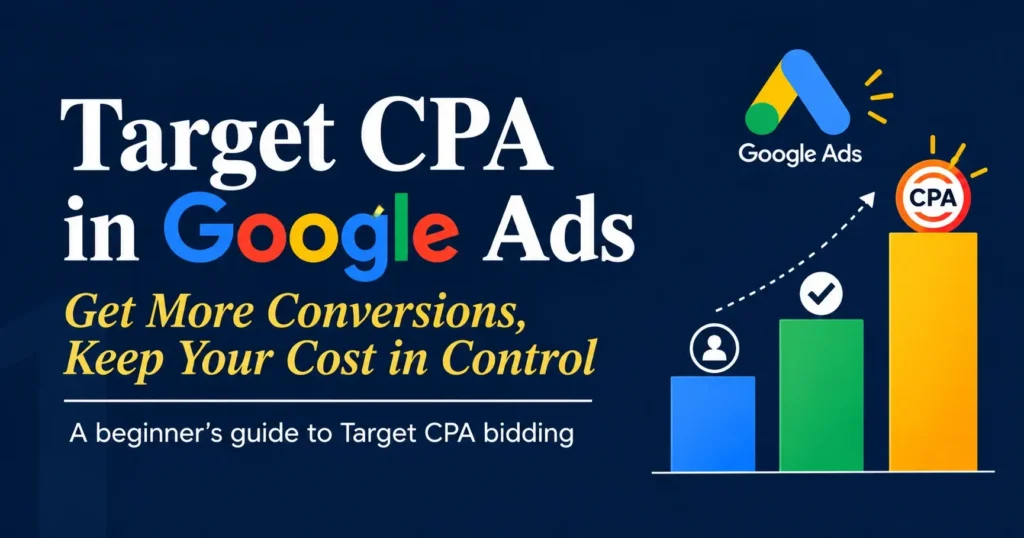
Target CPA in Google Ads used in conjunction with the Maximize Conversions bidding strategy in Google Ads. It lets Google know how much you would want to pay on average for a conversion, such a sale, the submission of a lead form, or a phone call. Google then employs machine learning to dynamically modify bids in each auction in an effort to maximize conversions while pursuing your desired CPA. What Are the Downsides of TCPA? Setting the target too low Setting an unreasonable target CPA is one of the most common errors made by advertisers. Your campaigns may find it difficult to spend their budget and traffic volume may drastically decline if Google feels it cannot get conversions at that pricing. To increase efficiency, I frequently experiment with gradually lowering the Target CPA. Pushing it any lower, though, frequently starts to limit performance at a certain threshold. That’s just how the plan works. How to Set a Target CPA in Google Ads This gives Google Ads the information it needs to predict and maximize your Target CPA in Google Ads bids. Your advertisement must have at least 15 tracked conversions during the previous 30 days in order to use Target CPA successfully. One Google Ads bidding approach that allows you to define a target CPA in Google Ads for your ad campaigns is target CPA (Cost-per-Acquisition) bidding. The average amount you wish to spend on each conversion is known as the target CPA. Every time a Google search takes place, a real-time auction is held where rival advertisers compete to display an advertisement using a CPC (cost per click) mechanism. Target CPA in Google Ads automatically determines bids foreach auction using this bidding approach in an effort to maximize conversions while adhering to your goal CPA. What Does TCPA Mean in Google Ads? Target CPA is used in conjunction with the Maximize Conversions bidding strategy in Google Ads. It lets Google know how much you would want to pay on average for a conversion, such a sale, the submission of a lead form, or a phone call. Google then employs machine learning to dynamically modify bids in each auction in an effort to maximize conversions while pursuing your desired CPA. For instance, you may set your Target CPA to £10 if you’re willing to pay £10 per lead. After that, Google will try to produce conversions at about that average cost. It’s crucial to keep in mind that not all conversions will cost precisely £10. Some might be more expensive than others. The goal is to eventually reach your target cost on average. What Are the Benefits of Using TCPA? Having more control over your cost per conversion is one of TCPA’s primary benefits. Google will only attempt to produce as many conversions as it can within your budget if you use Maximize Conversions without a target. Although it can be effective, this could result in increased acquisition expenses. What is considered a good target CPA for Google Ads? The right number for your business varies based on your industry, business model, customer lifetime value, and sales cycle. Think about your pricing and profit margins: at what cost does paying for a lead stop being profitable? For instance, a B2B software company selling a $10,000 product might be very satisfied with a $1,500 CPA, since the return is substantial if even one lead converts into a customer. Also consider your customers’ lifetime value. Although acquiring them may cost more initially, repeat purchases can lead to greater returns. What is considered a good target CPA for Google Ads? The right number for your business varies based on your industry, business model, customer lifetime value, and sales cycle. Think about your pricing and profit margins: at what cost does paying for a lead stop being profitable? For instance, a B2B software company selling a $10,000 product might be very satisfied with a $1,500 CPA, since the return is substantial if even one lead converts into a customer. Also consider your customers’ lifetime value. Although acquiring them may cost more initially, repeat purchases can lead to greater returns. Target CPA Settings Target CPA in Google Ads reduces the number of variables that need to be actively managed in manual bidding campaigns. A few settings can be customized in Target CPA in Google Ads campaigns to align with the account’s goals. The campaign’s main settings are its Target CPA and budget. These are fairly straightforward and should be chosen according to the account’s budget and acquisition goals. CONCLUSION employs machine learning and real-time contextual information (such as time of day, device, and location) to modify bids each auction; this is an average rather than a fixed ceiling. While the average over time will attempt to meet your aim, some individual conversions will cost more or less than your target.
The majority of website owners just create an account with you cannot see in Google Analytics and begin using its capabilities to track traffic-related data, but everyone knows that the UI is a complete mess. However, if you cannot see Google Analytics isn’t displaying data or traffic, there might be more to the issue than just the platform’s unfriendly user interface. Before We Start: 3 Ways to Verify That Google Analytics Is Not Tracking Data 1. Verify the Correct Google Analytics Property Again Make sure you have allowed the property viewing of the site you should be looking at before you start worrying about a dramatic decline in traffic. 2. View the Real-Time Report for Google Analytics You should get precise Real-Time reports if you cannot see in Google Analytics code is operating without any issues. If not, there is a problem with your GA tracking code because you won’t even be able to see your own IP address on the Real-Time Report. 3. Confirm Analytics Tracking By Utilizing Google Tag Assistant When you set you cannot see in Google Analytics on your website, it is essential to verify that the Global Site Tag has been properly integrated. 1. Historical Data Historical data refers to events that occurred before the implementation of the Google Analytics tracking code on your site. Consider the tracking code like a fishing net. When you’re in the water, you can observe how many fish have been caught. However, until the net is set up, you can only speculate or estimate the number of fish that have gone by. 2. Sampling Another issue you cannot see in Google Analytics fails to address is a situation where you could be lacking insights about your site traffic: sampling.Data sampling involves analyzing a smaller segment of data to swiftly recognize patterns and trends.Seer Interactive provided an excellent example of data sampling years ago, so instead of attempting to create something new, I will present a rephrased version. 3. Heat Mapping Digital marketers utilize heatmaps to analyze user behavior on a website. These insights are crucial when you need to enhance a page layout, boost UX, or raise conversions. Although you cannot see in Google Analytics offers a heat map (sort of), it doesn’t have all the advanced features that paid services provide. It will indicate where users are clicking and where they aren’t. 4. Social Media Monitoring The final two items on this list will focus on users’ interactions and discussions off-site that are crucial to effective marketing campaigns. Social media monitoring involves observing information pertinent to your business on social networks; such as brand mentions, important hashtags, shared articles, and posts, etc. you cannot see in Google Analytics can monitor activities and behaviors on your site, including the social networks that direct users, the specific pages they visit, and whether they initiated an event. 5. Lead Quality Lead quality is the most difficult type of behavior to track because it generally happens offline. Things like sales calls and the content within form submissions are essential for determining the effectiveness of marketing efforts. When it comes to quantifying lead quality, despite how essential this metric is, business owners rely on an overall “feeling” they get. For offline interactions like sales calls and in-store visits, the best thing you can do as a marketer is to sit in on those calls to fully understand the customer. Final Thoughts Google Analytics (GA) is an amazing complimentary resource for marketers. Comprehending the number of visitors to specific pages and the actions they take is fundamental to a successful digital marketing strategy. Simply remember that GA was not designed to accomplish everything. You cannot see in Google Analytics information is not retroactive, the data may be subject to sampling, heat mapping is unavailable, and we cannot evaluate external interactions like social media mentions and sales calls. By making certain modifications and alterations, one can enhance you cannot see in Google Analytics into a significantly more powerful resource capable of driving exceptional digital marketing efforts. I highly recommend that you explore and understand how to obtain, examine, and respond to your digital marketing data.
Gumloop-(best for AI Automation) The most underappreciated AI Tools for Digital marketing Beginners available at the moment is Gumloop. This AI automation tool, which was founded just a year ago by two Canadian geniuses, has already captured my heart. Without writing a single line of code, Gumloop enables you to integrate any LLM model (such as ChatGPT, Claude, Grok, etc.) with your internal tools and workflows. If you want a more in-depth look, I’ve already written a comprehensive review of Gumloop. In my Gumloop vs. n8n comparison, I also contrasted it with n8n, another well-known AI automation tool, highlighting the specific areas in which each tool excels. Claude (for any marketing task) I use Claude AI Tools for Digital marketing Beginners in two ways as a marketer. I can start by creating projects for my various “workspaces” using the desktop application. For instance, I design a project for every customer I serve. I then develop expertise for various SEO and marketing duties. I also use Claude Code as a coding assistance. I construct internal tools after integrating it with Cursor. For instance, I created a tool to assist me in determining what information needs to be updated for both my client’s and my personal websites. For instance, my internal tool instructed me to update this post for 2026. Surfer SEO (for content optimization) A reasonable objective for any content strategy, Surfer SEO AI Tools for Digital marketing Begginers is a content optimization tool that assists you in writing material for search engine ranking. While you write, Surfer evaluates and rates your material based on factors that help it rank higher, like as readability, length, header usage, and keyword density. Selecting your domain, specialty, and target audience is the initial step in using Surfer SEO. After that, the algorithm will highlight the top-ranking keywords, recommend a content outline structure, and even specify the picture density for your piece to provide you with actionable information. With Surfer SEO’s built-in text editor, you may work directly on it or copy and paste for fast examination. You’ll notice a real-time improvement in SEO as you modify your work. Google Labs (for free AI tools) Pomelli is one of the many tools available in Google Labs AI Tools for Digital marketing Begginers that I have been working with. In order to produce content for your brand, the program essentially slurps up your website and imitates its design structure. If you’re a performance marketer looking to run static picture advertising, it can produce incredibly cool on-brand Instagram advertisements and provide you with plenty of inspiration. Although I think it’s a terrific use case for DTC brands running advertising, you can also utilize it to produce organic content. Kling AI (for generating AI videos) Kling AI Tools for Digital marketing Begginers is at the core of this comprehensive toolkit for AI video producers. Take a test drive of this one and experiment with the models. Create prompts using Claude or ChatGPT, then feed them to Kling AI for optimal results. Additionally, Kling AI has its own video models that are always improving. However, you should look into Higgsfield if you wish to use other models, such as Google’s Veo or OpenAI’s Sora video models. Although the platform is independent of video models, it is comparable to Kling AI. However, Kling does feel a little more user-friendly Jasper AI(for copywriting) The creators of the most well-known AI-powered copywriting system, Jasper AI Tools for Digital marketing Beginners soon fell victim to their own prosperity. Once they had more than 350,000 users, Marvel sent them a cease-and-desist letter. Formerly known as Jarvis, their AI was cleverly modeled after Iron Man’s virtual assistant, Tony Stark. Jasper was thus reborn. This is undoubtedly a good beginning, however there is some repetition and human interaction is still necessary to understand the copy’s flow. Perhaps the ideal way to use Jasper’s natural language processing is as tool to produce early manuscripts that human copywriters can then refine. LALAL:AI (for recording audio) This is a fantastic AI Tools for Digital marketing Begginers for video marketers, and if you’re having trouble eliminating background noise in your recordings, I highly suggest you try it. Orginality AI (for AI content detection) Originality AI Tools for Digital marketing Beginners technology for detecting plagiarism and content. These days, I use this tool on nearly every piece of content to ensure that it is authored by a human. I won’t run real human writing through it, of course.